Strange little machines that make sound. A new one is born every week. Nobody chooses it.
Each one is an instrument built around an idea: tree rings that play their own weather, ants that sing when they turn, a sunflower that refuses to come out even. Twist the knobs, poke the screen, play them from a keyboard. Layer them, record them, take them into your DAW.
A provocation. Each week starts from one odd prompt: a lighthouse keeper alone for a winter, tides, a slime mould finding food.
An invention. Claude, an AI, studies the collection, invents a species unlike the others, writes it and puts it through the same test bench you can use.
A birth. At 06:00 on Monday it appears, numbered, with its own thought printed on the label. If an invention fails, an older machine is born again, mutated.
The latest births
Play it everywhere
One collection, every screen
The same machines, built the same way, wherever you play them. New ones arrive everywhere on Monday, without updating anything.
Public beta on TestFlight
The app: iPhone, iPad & Mac
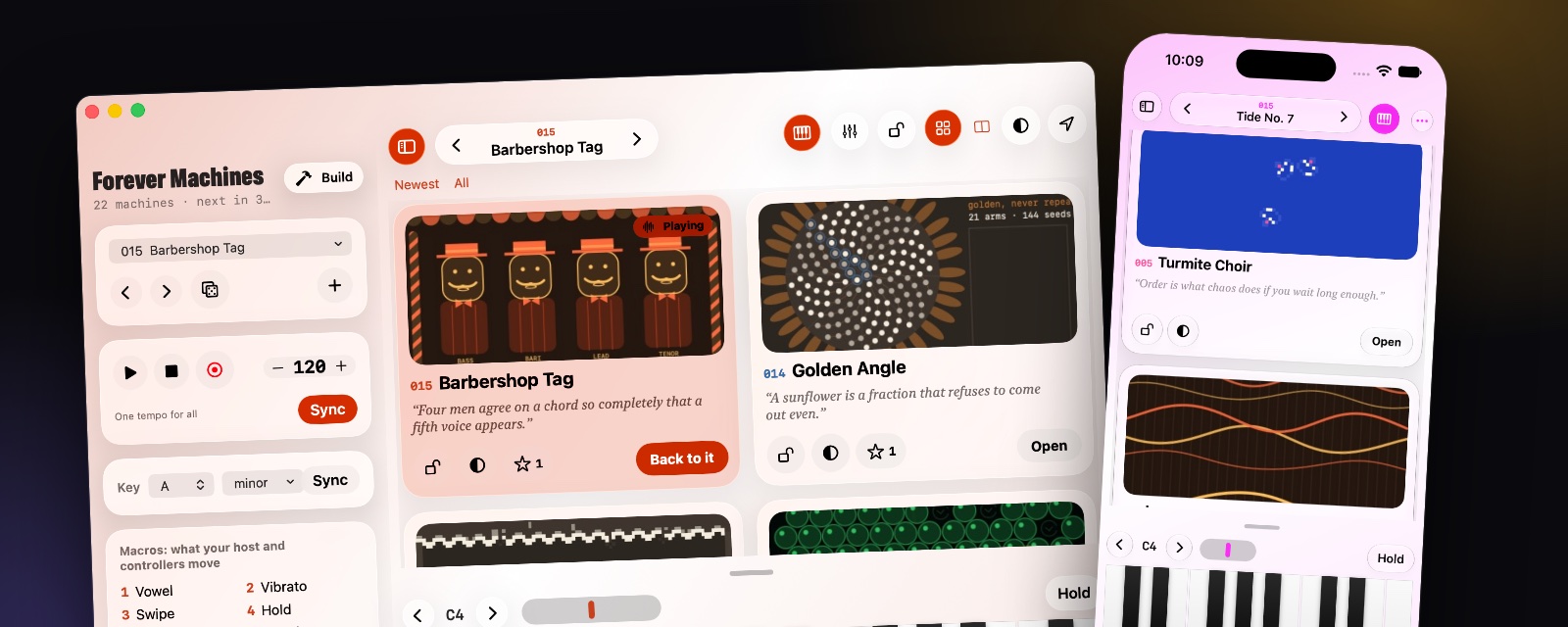
The whole collection as a native app, offline, with sound rendered by its own engine. A top-notch interface made for the device in your hand: native controls, glass and motion that feel like they belong on iPhone, iPad and Mac, and a layout that adapts to every screen, from a phone held upright to a Mac in full screen.
New machines arrive by themselves. Every machine born on the web comes to the app too, with no App Store update: open the app while online and it fetches the newest collection in the background, and the new machine is there the next time you open it. Your own machines from the Workbench go in with +.
Truly native, and it shows: a polished interface with native controls and smooth, responsive touch, designed for iPhone, iPad and Mac, in light and dark
An on-screen keyboard and your computer keys, pitch bend and sustain; every machine plays in its own voice
MIDI controllers, with right-click MIDI Learn on any knob
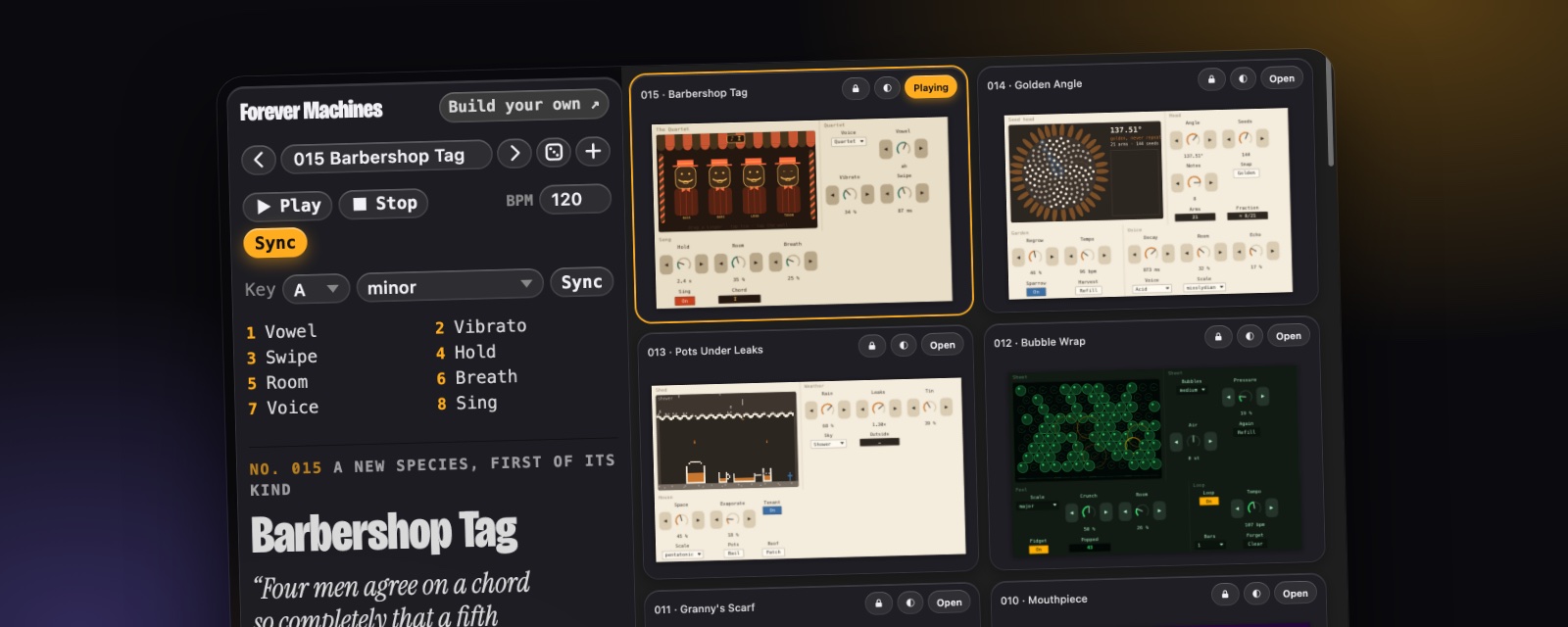
Views for every size: screen and controls, screen only, controls only, stage, and a grid of every machine
Play, Stop and BPM; record what you play to an audio file; use your mic on the voice machines
Your own effect plugins on the mixer: play the machines through any AUv3 effect you have installed, chained on the master, heard and recorded
The app on a handheld: touch the machines, play the keyboard with the buttons, and let the sticks be two fingers on the machine. It lives in your Steam library and updates itself, Game Mode too.
The mixer, the grid and your own machines, with a dark look made for the screen
Arrow buttons beside every knob, because a tap is easier than a drag
Machines you build in the Workbench can be sent straight to the Deck
A Max for Live instrument: drop it on a MIDI track. It plays at Live's tempo, on Live's grid, with eight automatable macros. Download it once; new machines arrive by themselves.
A small instrument box: a Pi Zero 2 W, a 7-inch touch screen and a Bluetooth speaker, starting straight into Forever Machines. It is new and has only a first run behind it.
The sister collection: strange little audio effects, invented the same way as the machines, one idea you can hear and play, and a new one every week. Put one on any machine, or on any track in your DAW.
Inside Forever Machines
An effect on every machine
Open the mixer: every channel has an effect menu (FX: none) with the twelve effects. Pick one and the slider beside it sets how much of the machine goes through it. The effect's screen joins the machine's, with all of its controls, marked Effect, so you can play the two together: drag the echo's flags while the machine plays.
On the web, on Android, and in the iPhone, iPad and Mac app: the same effects, the same way
One per channel, so a layered set can have a different effect on every machine
A new one is born every week, with a birth card, and arrives without updating anything
Included: there is nothing extra to buy to use them on your machines
The standalone app for iPhone, iPad and Mac comes with an AUv3 effect for Logic Pro, GarageBand, AUM, Loopy Pro and other hosts. It is built to be light: a fixed graph, drawing nothing while its window is closed.
In the app, a Forever Machine plays through the effect (or your mic); in a host, the track does
Mix and Level on every effect, power off is a clean bypass
Saved with your project; new effects arrive online
A Max for Live audio effect: drop it on any track, after a clip, an instrument or the Forever Machines device, and play the effect's screen and knobs right in Live. It runs natively, at Live's tempo.
Every effect in one device: click its name, or step with the arrows
Eight automatable macros; the effect and its settings are saved in your set
Mac (Apple silicon or Intel) and Windows 10 or 11; needs Live Suite, or Standard with Max for Live
An effect is one JavaScript file, written like a machine. The Workbench has a blank effect, starters, a source to play through and a meter for what it costs; the Effect API is in the docs, and AI agents can build and test them through the same connection as machines.
Bees in a Guitar: a swarm in the body of the sound
Road Salt: what a winter does to a tone
Xerox: a photocopy of a photocopy
Tunnel Vision: a tunnel with a train coming
Between Stations: a radio between two stations
Slinky Stairs: a slinky on the stairs
Stairwell B: a stairwell in a tower block
Jet Lag: a time zone
Three Streets Away: a karaoke bar, some distance off
The collection
All machines and counting
Genesis machines made by hand, new species invented every week, and mutations of the old ones. Each comes with a thought, printed on its label like a note in a gallery.
Build your own
One file is a machine
A machine is a single JavaScript file: a screen you can touch, a few knobs, a sound. The Workbench gives you an editor, a live preview in every skin and the same test bench every weekly machine has to pass.
Write it yourself, or have an AI write it with you: copy a brief for any assistant, or connect your agent over MCP
Export it and drop it anywhere on the site, press + in the app or on the Live device
Yours stay with you: in your browser, your Live sets, your app. Nothing is uploaded
// a whole machine, give or takeFM.define({
title: 'Pebble Box',
thoughts: ['Every room has a pitch.'],
build(m) {
const scr = m.screen({ w: 340, h: 250, flex: true });
const s = m.section('Chamber');
const bounce = s.knob({ label: 'Bounce', min: 0, max: 1 });
m.clock({ bpm: 96, tick(t) {
m.pluck({ freq: m.freq(m.int(0, 7)), t });
} });
m.onNote((n, v, on) => on && m.pluck({ freq: FM.mtof(n) }));
},
});
The manual
Everything, explained
How to play a machine, layer and record a session, use MIDI, the app and its keyboard, automation in your DAW, the Live device, and how to make machines of your own.